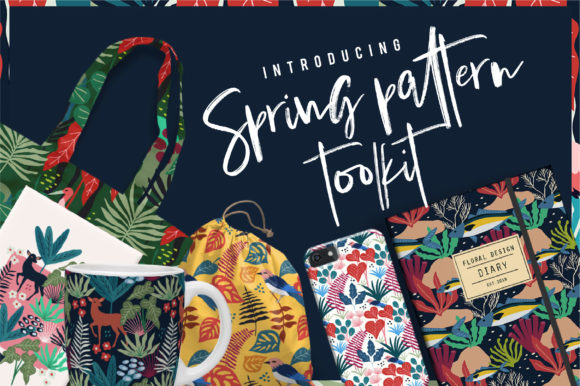
Spring Pattern Toolkit: A Practical Resource for Designers and Content Creators
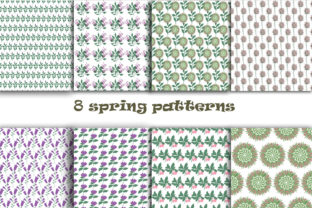
The Spring Pattern Toolkit is a curated digital asset collection built for professionals who need versatile, high-fidelity pattern resources without sacrificing creative control or production quality. It’s not a broad marketplace bundle or a generic seasonal pack — it’s a focused toolkit of 36 original patterns and 40 supporting objects, all designed with spring’s visual language in mind: soft florals, gentle geometrics, organic textures, and light-filled motifs. What sets it apart is its intentional balance between aesthetic cohesion and functional flexibility — a trait that matters more than ever when working across branding, publishing, web, print, and product design.
What You Actually Get — and Why Format Matters
This download delivers two distinct but complementary asset categories: patterns and objects. The 36 patterns are supplied as JPG files (ideal for quick previews, mockups, or CMS uploads) and a single master EPS 10 file containing all patterns in vector format — enabling seamless scaling, color adjustments, and integration into Adobe Illustrator workflows. The 40 objects include botanical elements, abstract shapes, and decorative accents, provided in both EPS 10 (editable vectors) and PNG at 300 dpi (crisp, transparent-background raster files suitable for Photoshop, Canva, or layout software).
That dual-format approach reflects thoughtful preparation. EPS ensures precision for logo adaptation, packaging design, or large-format printing; PNGs support rapid iteration in social media graphics or presentation decks where vector editing isn’t needed. Unlike kits that offer only one file type per asset, the Spring Pattern Toolkit anticipates real-world toolchains — whether you’re a freelance designer prepping assets for a client’s print brochure or an educator building classroom visuals in Google Slides.
Quality and Consistency Across the Set
Each of the 36 patterns maintains consistent resolution, color fidelity, and tiling behavior. Tested across multiple applications — including Illustrator, Affinity Designer, and Figma (via embedded SVG conversion) — they tile cleanly without visible seams or alignment shifts. The EPS master file is well-organized: layers are named logically, swatches are preserved, and grouped elements retain editable structure. This level of attention reduces time spent troubleshooting misaligned repeats or rebuilding color palettes from scratch.
The 40 objects show similar discipline. They avoid over-rendered photorealism or overly stylized distortion — instead favoring clean outlines, balanced negative space, and moderate detail that holds up at small sizes (e.g., favicons or app icons) and scales elegantly to poster dimensions. One practical observation: several leaf and petal objects include subtle gradient overlays rather than flat fills, adding depth without compromising editability. That nuance supports realism in editorial illustrations while still allowing users to replace gradients with solid colors or spot tones for brand alignment.
Real-World Use Cases and Workflow Integration
For small business owners launching a spring-themed product line — say, artisanal teas or eco-friendly stationery — the toolkit offers immediate value. A café owner redesigning seasonal menu boards can combine a soft watercolor-style floral pattern (from the JPG set) with object-based icons (PNGs) to build cohesive signage in under an hour. Similarly, a blogger creating Pinterest pins for a “spring cleaning checklist” series can layer a geometric dot pattern over a clean background, then drop in leaf or basket objects as visual anchors — all without licensing concerns or attribution requirements.
Educators preparing printable worksheets or interactive slide decks benefit from the 300 dpi PNGs’ clarity on projectors and tablets. The objects function well as drag-and-drop elements in tools like Keynote or PowerPoint, while the patterns serve as subtle backgrounds that don’t compete with text. In marketing, the EPS master file allows designers to extract individual patterns for use in email header graphics or branded Zoom backgrounds — maintaining consistency across touchpoints without needing to recreate motifs manually.
Who Benefits Most — And Where It Fits (or Doesn’t)
The Spring Pattern Toolkit suits professionals who value efficiency without compromising on adaptability: freelancers managing tight deadlines, in-house designers supporting seasonal campaigns, educators developing reusable teaching materials, and content creators producing themed newsletters or social calendars. Its strength lies in bridging the gap between off-the-shelf convenience and custom-built quality.
It’s less suited for projects requiring heavy customization of pattern structure — such as generating seamless repeats with non-standard tile angles or integrating parametric variations. Users needing AI-assisted recoloring or dynamic pattern generation may find the static nature of the JPG/EPS assets limiting. Likewise, those working exclusively in browser-based tools without vector import capabilities (e.g., basic Canva plans) will rely primarily on the PNGs and JPGs — still useful, but missing the full flexibility of the EPS components.
Long-Term Utility and Creative Longevity
Unlike trend-driven assets that age quickly, the Spring Pattern Toolkit leans into timeless spring associations — daffodils, wisteria, woven textures, and airy linework — rather than fleeting micro-trends like hyper-saturated gradients or exaggerated 3D effects. That gives it staying power beyond a single season. Many users report reusing individual objects year after year: a simple bud icon appears in April newsletters and again in October wellness guides, repurposed with adjusted color and context.
Its modularity also supports longevity. Because patterns and objects are delivered separately, you’re not forced to adopt entire themes. You might use only five patterns and twelve objects for one campaign, then rotate in different combinations for the next — extending perceived variety without downloading new kits. That kind of selective reuse aligns with sustainable creative practices and reduces digital clutter in asset libraries.
Practical Recommendations for Getting Started
Begin by opening the EPS master file in Illustrator and exploring how patterns are organized — many users find it helpful to duplicate the file first and rename layers to match their project naming conventions (e.g., “Floral_Border_Small,” “Geometric_Background_Large”). For quick wins, start with the JPG patterns in your design tool of choice: apply them as layer masks or overlay textures in Photoshop, or use them as background fills in Figma frames.
When combining objects with patterns, pay attention to scale relationships. A common pitfall is placing a highly detailed blossom object over a dense pattern — the result can feel visually heavy. Try reducing object opacity slightly (70–85%) or using the “Multiply” blend mode to let underlying texture show through. Also consider converting PNG objects to smart objects before scaling in Photoshop — this preserves sharpness during resizing.
If you work across teams, share the EPS master file internally but distribute PNG exports for collaborators using non-Adobe tools. That preserves source integrity while ensuring everyone has usable assets.
The Spring Pattern Toolkit doesn’t promise to solve every design challenge — nor does it try. Instead, it delivers what it promises: 36 cohesive, production-ready patterns and 40 versatile objects, thoughtfully formatted and consistently executed. For professionals who regularly produce seasonal or nature-aligned content, it functions less like a novelty download and more like a reliable shelf in the studio — always within reach, always relevant, and quietly effective when it matters most.