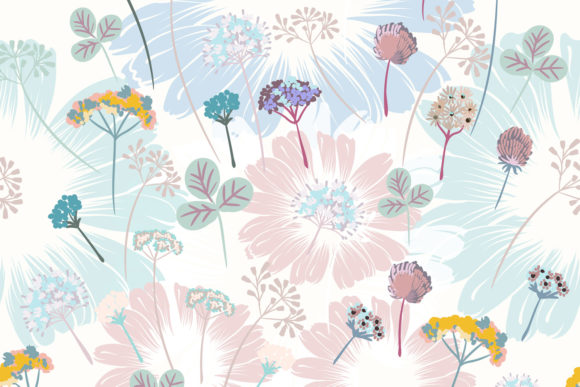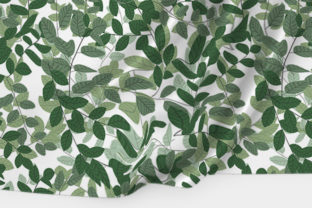
Beautiful Green Foliage and Tiny Branch
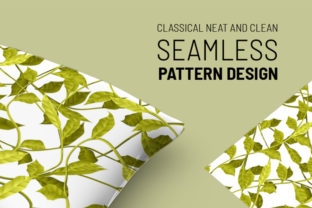
Imagine opening a single vector file and finding a hand-drawn, delicately detailed green leaf with a slender, organic branch—cleanly filled, fully scalable, and ready to adapt to your vision. That’s Beautiful Green Foliage and Tiny Branch: not just a static image, but a flexible, editable asset built for real work. It’s drawn by hand, then carefully converted into a vector with the bucket mesh tool—giving it natural gradients, soft transitions, and authentic texture while preserving crisp scalability at any size.
Why This Isn’t Just Another Leaf Clipart
Most “green leaf” vectors fall into two categories: overly rigid geometric shapes or pixelated raster images that blur when enlarged. Beautiful Green Foliage and Tiny Branch bridges that gap. Its mesh-filled coloring mimics subtle light variation across the leaf surface—like sunlight filtering through real foliage—while staying 100% vector. That means no quality loss whether you’re printing a 48″ wall mural or fitting it into a 24px app icon (with appropriate simplification).
The inclusion of multiple formats—EPS for full vector editing, high-res JPEG and transparent-background PNG for quick drag-and-drop use, plus a concise Help File—means it meets people where they are. No assumptions. No hidden steps. Just clarity.
Beginners & Hobbyists
If you’re just starting with design tools—or using Canva, Cricut Design Space, or even PowerPoint—you’ll appreciate how easily this asset slots in. Double-click the PNG to insert it instantly. Rotate or resize without jagged edges. Use the white-background JPEG for social media banners or blog headers. The Help File walks through basic scaling and recoloring in free tools like Inkscape or Illustrator’s trial version. For someone learning visual language, it’s both a practical shortcut *and* a gentle introduction to how natural forms translate into digital assets.
Freelancers & Small Business Owners
You juggle tight deadlines, client revisions, and brand consistency. With Beautiful Green Foliage and Tiny Branch, you can quickly build cohesive seasonal branding—think spring product launches, eco-friendly packaging, or wellness-themed newsletters—without commissioning custom illustrations each time. Because it’s vector, you can recolor it to match Pantone palettes in under a minute. Because it’s isolated on a transparent background, it layers cleanly over photos, textures, or gradients. One purchase supports dozens of projects: Instagram carousels, printable workshop handouts, Shopify banner graphics, even embroidered patch mockups.
Educators & Content Creators
Teachers designing nature unit slides, bloggers illustrating sustainable living tips, or podcasters crafting episode thumbnails—all benefit from accuracy *and* approachability. This leaf isn’t cartoonish or oversimplified; its gentle curves and realistic veining support visual literacy. You can zoom in during a classroom presentation to discuss plant anatomy—or use it as a calming motif in mindfulness worksheets. Its “natural but polished” aesthetic avoids cliché while remaining accessible to all age groups.
Design Professionals & Pattern Makers
For those building seamless repeats, textile designs, or editorial layouts, the clean isolation and intentional negative space around the branch make tiling intuitive. Flip, rotate, and duplicate it to create organic rhythm—not mechanical repetition. Pair it with muted earth tones for Scandinavian interiors, or layer it over watercolor textures for botanical stationery. Because it’s EPS-based, you can extract individual anchor points to refine curvature or extend stems for custom compositions. It’s not a finished pattern—it’s a thoughtful, high-fidelity building block.
Practical Use Cases Across Real Projects
- Bloggers: Use the PNG to frame quote graphics or highlight “eco tip” callouts—no need to wrestle with clipping masks.
- Small Print Shops: Scale the EPS to 36″ for garden center posters, then export CMYK-ready PDFs with embedded fonts and color profiles.
- Handmade Sellers: Import the vector into embroidery software to digitize a delicate leaf motif for linen tea towels or greeting cards.
- Nonprofit Marketers: Combine it with open-source icons to visualize “growth,” “renewal,” or “community roots” in annual reports—without licensing concerns.
- Students & Learners: Study its mesh fill technique in Illustrator to understand how vector gradients differ from raster overlays—then apply that knowledge to their own illustrations.
What to Consider Before You Use It
This asset shines when you value authenticity *and* efficiency—but it’s not magic. If your project needs photorealistic depth (e.g., macro photography-level leaf texture), pair it with a subtle overlay photo. If you require 50+ matching botanical elements for a complex pattern, treat it as a starting point—not a full library. And while it’s labeled “seamless pattern” in metadata, it’s actually a single isolated element; true seamless patterns require deliberate tiling and edge alignment (though the Help File includes tips to get started).
Its strength lies in intentionality: one thoughtfully drawn leaf, designed to feel alive—not generic, not overwhelming, not over-engineered. That makes it especially valuable when your goal is warmth, clarity, or quiet emphasis—not visual noise.
Does It Fit Your Next Project?
Ask yourself:
- Do you need a natural, non-clipart-feeling green element that scales flawlessly?
- Are you balancing speed with visual integrity—say, updating a website banner before a weekend launch?
- Is “hand-drawn but professional” the tone you’re aiming for in print or digital materials?
- Do you prefer assets that invite customization—not just decoration?
If yes, Beautiful Green Foliage and Tiny Branch likely aligns. It won’t replace deep botanical illustration skills—but it respects them. It won’t automate your entire workflow—but it removes one small, repetitive hurdle so you can focus on what matters most: your message, your audience, and the care behind your craft.