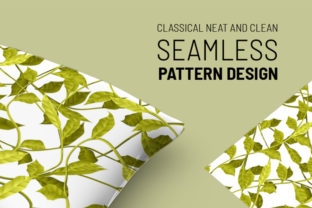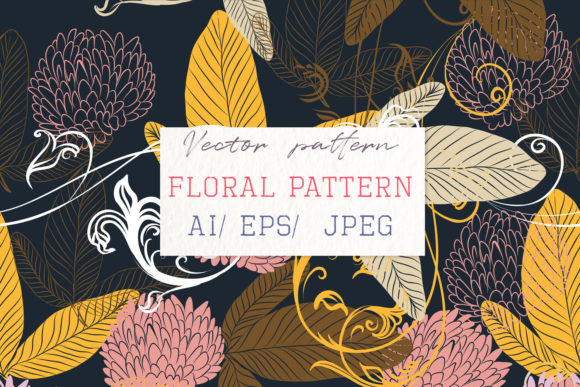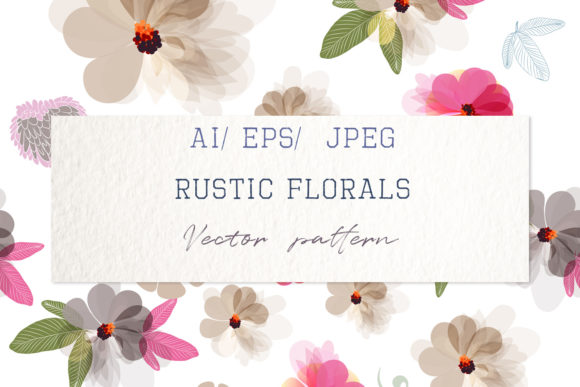
Hand Drawn Beautiful Floral Design
There’s something quietly powerful about a hand-drawn floral motif—imperfect lines, organic curves, and subtle variations in stroke weight that digital precision often smooths away. The Hand Drawn Beautiful Floral Design is more than just a decorative asset: it’s a versatile, scalable vector object crafted with intention. Built using the bucket mesh tool, it features rich, color-filled forms—not flat swatches, but layered, natural-looking fills that mimic the depth of ink, watercolor, or soft pastel. Because it’s fully vector-based, every petal, leaf, and stem holds clarity at any size—from a business card icon to a 10-foot trade show backdrop.
Why This Design Stands Out
Unlike many floral vectors that rely on symmetrical repeats or rigid geometry, this design embraces irregularity—the kind you’d see in a sketchbook page from a botanist or an illustrator walking through a spring garden. Its authenticity comes through in the slight tapering of stems, the gentle asymmetry of overlapping leaves, and the way blossoms nestle into one another rather than align on a grid. That human touch makes it especially effective for projects where warmth, approachability, or artisanal credibility matter: boutique branding, educational materials, handmade product packaging, or wellness-focused content.
The inclusion of EPS, JPEG, PNG, and a Help File means you’re not locked into one workflow. Whether you’re a seasoned designer opening the EPS in Adobe Illustrator, a teacher inserting the PNG into a Google Slides lesson, or a small business owner dragging the JPEG into Canva for social posts—you can start using it immediately. No plugins, no subscriptions, no rendering delays.
Creative Applications Across Roles
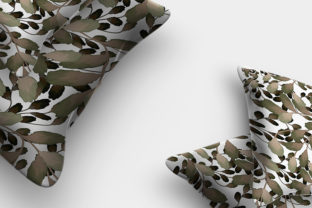
Designers & Freelancers: Use the vector as a foundational element in custom pattern creation. Duplicate, rotate, and offset instances to build a seamless floral repeat—ideal for fabric prints, wrapping paper, or website backgrounds. Because the original is mesh-filled (not gradient-based), recoloring is intuitive: select a leaf group and apply a new green hue, or shift all blossoms to muted terracotta for an autumn variation.
Marketers & Small Business Owners: Integrate the floral motif into email headers, Instagram story templates, or printable promo cards. Its isolated composition (no background, no shadows) ensures clean layering over photos or solid-color layouts. Try pairing it with a bold sans-serif headline for contrast—soft florals + strong typography creates visual hierarchy without competing for attention.
Educators & Content Creators: This design works beautifully in science units on plant anatomy, seasonal literacy activities, or mindfulness journals. Print the PNG at low resolution for coloring sheets—or use the high-res EPS to label parts of a flower (stamen, pistil, sepals) directly in Illustrator before exporting to PDF. Its botanical accuracy isn’t scientific-grade, but its recognizability supports learning without oversimplifying.
Hobbyists & DIY Enthusiasts: Cut the design with a Cricut or Silhouette machine (using the SVG-compatible EPS), then apply it to greeting cards, wooden coasters, or fabric tote bags. Because the strokes are clean and closed paths—not raster scribbles—it cuts precisely, even at 2 inches wide.
Adapting Style Without Losing Integrity
You don’t need advanced software to reinterpret this design. In Illustrator or Affinity Designer, try these quick, effective adjustments:
- Monochrome Mode: Convert to grayscale, then adjust brightness/contrast to create elegant line-art versions for embroidery guides or minimalist stationery.
- Texture Overlay: Place a subtle paper grain or linen texture above the design (set blending mode to Multiply), then reduce opacity to 15–20%. Instant tactile feel—great for wedding invites or artisan coffee labels.
- Color System Alignment: Extract the dominant hues (e.g., sage, blush, ivory) and build a cohesive palette around them. Use those colors consistently across your brand assets—not just here, but in fonts, buttons, and photo filters.
Avoid overcomplicating edits. If you’re designing for accessibility, ensure contrast remains sufficient when recoloring—especially if placing text over the design. Test readability at 120% zoom and on mobile screens.
Real Projects, Real Results
A Portland-based herbal apothecary used the Hand Drawn Beautiful Floral Design as the anchor for their seasonal newsletter banner. They rotated three copies to form a loose triangular frame around their “Spring Tonic Blends” headline—keeping all elements in the same color family but varying saturation slightly for dimension. Subscribers reported the layout felt “calm but intentional,” a direct reflection of their brand voice.
A freelance curriculum designer embedded the floral motif into editable Canva worksheets for elementary nature studies. She duplicated the blossom, removed color fill, and turned it into a tracing exercise—students draw veins onto the petal outline. The original vector ensured crisp lines even after repeated resizing and downloading.
A blogger documenting her zero-waste garden journey used the PNG version as a watermark on Instagram Reels showing composting tips. Because it’s transparent and centered, it added visual identity without obscuring the footage—and followers began recognizing it as her “signature touch.”
Getting Started—Simply and Thoughtfully
No special setup is needed. Double-click the file to open it in your default vector program—or drag it straight into Figma, InDesign, or Affinity Publisher. From there:
- Scale freely: Resize without pixelation. Zoom in to refine anchor points if needed.
- Rotate intuitively: Use the rotation handle or enter precise degrees (e.g., 7° for subtle dynamism).
- Modify selectively: Ungroup layers to edit individual leaves or blossoms—change stroke weight, add drop shadows, or delete elements that don’t serve your layout.
Remember: the goal isn’t to make it “perfect.” It’s to make it *yours*. Let the hand-drawn quality guide your decisions—favor natural spacing over rigid alignment, embrace gentle overlap instead of strict symmetry, and trust that imperfection signals care, not error.
This Hand Drawn Beautiful Floral Design isn’t just a time-saver. It’s a starting point—one that respects your process, honors your audience’s expectations, and grows with your ideas. Whether you’re launching a new product, teaching a class, or simply refreshing your personal brand, let the quiet confidence of hand-drawn flora support your next step—clearly, consistently, and beautifully.